Samsung S256VL FRP Remove File U7 Just Only Flash [Without Test Point]

Have you ever stuck on FRP on your Samsung S256VL device? If yes, then you are at the right place. In this article, we will help you unlock frp Samsung S256VL device that requires FRP reset File Tool And Driver. You Will Find On This Page Downloading Samsung S256VL FRP Reset File, With Free Odint Tool and all the procedure without any paid gsm tools..
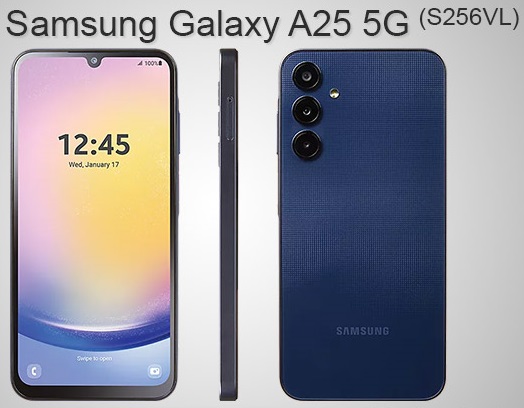
Samsung S256VL FRP Remove File
Samsung S256VL FRP Remove File

The Samsung S256VL Frp File Allows You To Reset Google Acccount Factory Reset Protection Security [FRP] On Your Android Smart Phone. During Reset FRP Unlock You Have No Need Any GSM Paid Tools & No Need Any Frp For Bypass Apk Samsung S256VL Without Waste Long Bypass Time, Just use Official Free Spd Tools, So Download Frp File From Below Link And Unlock Your Device,

Samsung S256VL FRP TOOL AND DRIVER

Before Reset FRP Lock On Your Samsung S256VL Smart Phone Require Install USB driver On Your Computer To Enables Connection Between Phone and PC via USB cable. And Without Driver USB Won’t Detect In Flash Tool, So USB Driver Is Important Part Of Installing Any FRP File, And This File Is Pac FRP Reset File You Can Use Samsung Offical Free Odin Tools

Samsung S256VL FRP File DOWNLOAD

File Size :   5.95 GB
Bit :   All Binrary Work Android 14-15
File Type   Tar
Driver :   Samsung USB Driver
Flash Tool :   Odin Flash Tool
File Status :   Paid
File Source :   Official
Samsung A256E FRP Remove By Odin Tool

Samsung S256VL FRP Remove By Odin Tool

Samsung S256VL FRP Unlock Test Mode Not Working Fix/  Without Test Point Work / Just Only Flash In Download Mode

Samsung S256VL FRP All Binary Support U1 To U7

Samsung Galaxy A25 5G SM-S256VL Android 15-14 Frp Remove 100% Tested

 All Version Work, No Need Test Point, No Need Bypass

——————————————————————————————————————————————

In This Page This File Is Password Protected Contact US Before Download File & Ask Prize Call And Whatsapp +8801829776585
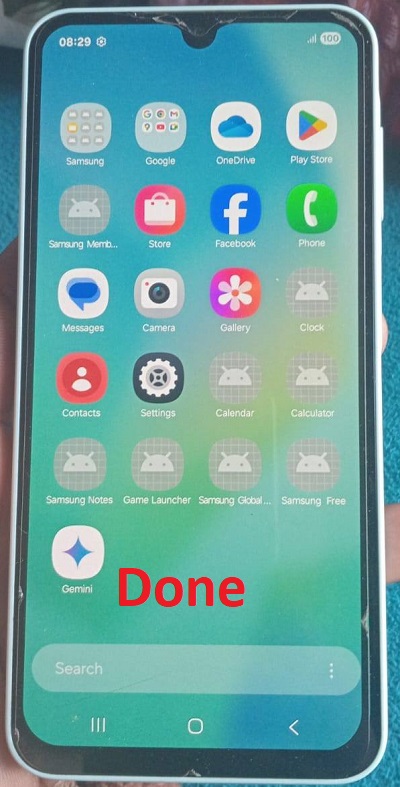
Samsung M336BU FRP Remove File

Samsung S256VL FRP Remove File

REQUIREMENTS FOR REST FRP ON Samsung S256VL

  • The FRP File Works At Only Samsung S256VL
  • Windows OS PC/Laptop Windows 10 Pro And Winows 11 Best
  • Best Quality USB Data Cable [Original Cable Best]
  • Latest Samsung USB Driver
  • Odin Flash Tool
  • Team Viewer & Anydesk [If Need Additional Support From Us
  • Need Must Stable Good Internet Connection For Remotely Unlock Job


READ ONCE BEFORE FLASH YOUR PHONE

  • Before Flashing Firmware On Your Smart Phone Make You Sure Downloaded & Use Latest FRP File,
  • Download Always Same Build Version FRP File And Upper Build Version
  • USE Allways Latest USB Driver And Latest Tool
  • Don’t USE & Don’t Plug USB Cable In USB Hub During Reset FRP
  • Use Original USB Cable At All
HOW TO FLASH Samsung S256VL
  • Extract (unzip) FRP Reset File
  • Download Latest Odin Tool
  • Extract The Odin Flash Tool
  • Open Odin Tool. exe File
  • Now Click Choose Load BL.CP.AP & CSC File
  • After Load FRP Scatter File Now Move To Format TAB And Select Manual Format Flash
  • And Now Power Off Phone Enter Download Mode And Plus USB Cable
  • And Hit Start Flash Button Now And Wait Until Flashing Complete